Teams, Brands, and Navigation
Understand what belongs to your team versus a brand, and how to move between them.
AdGreetz has two workspace levels. Mixing them up is the most common reason people generate work in the wrong place or cannot find a result.
Team workspace
The team is the account you share with colleagues. It owns:
- Team members and roles
- Credits, usage, and billing
- The team Media Library
- Tools (Image Studio, Video Generator, and the other utilities) and Playground surfaces (Freeform, Video Ad, Product Ad, UGC Ad, Static Ad, Rich Media, Carousel)
- The Brands list
Open it from the workspace switcher, or choose Back to workspace from inside a brand.
Brand workspace
A brand is one business you create ads for. Its home opens on the prompt box, Describe the ad you want. Set Format, Sizes, and Goal, then Generate. Or start from a format sits under the box and opens that format's studio.
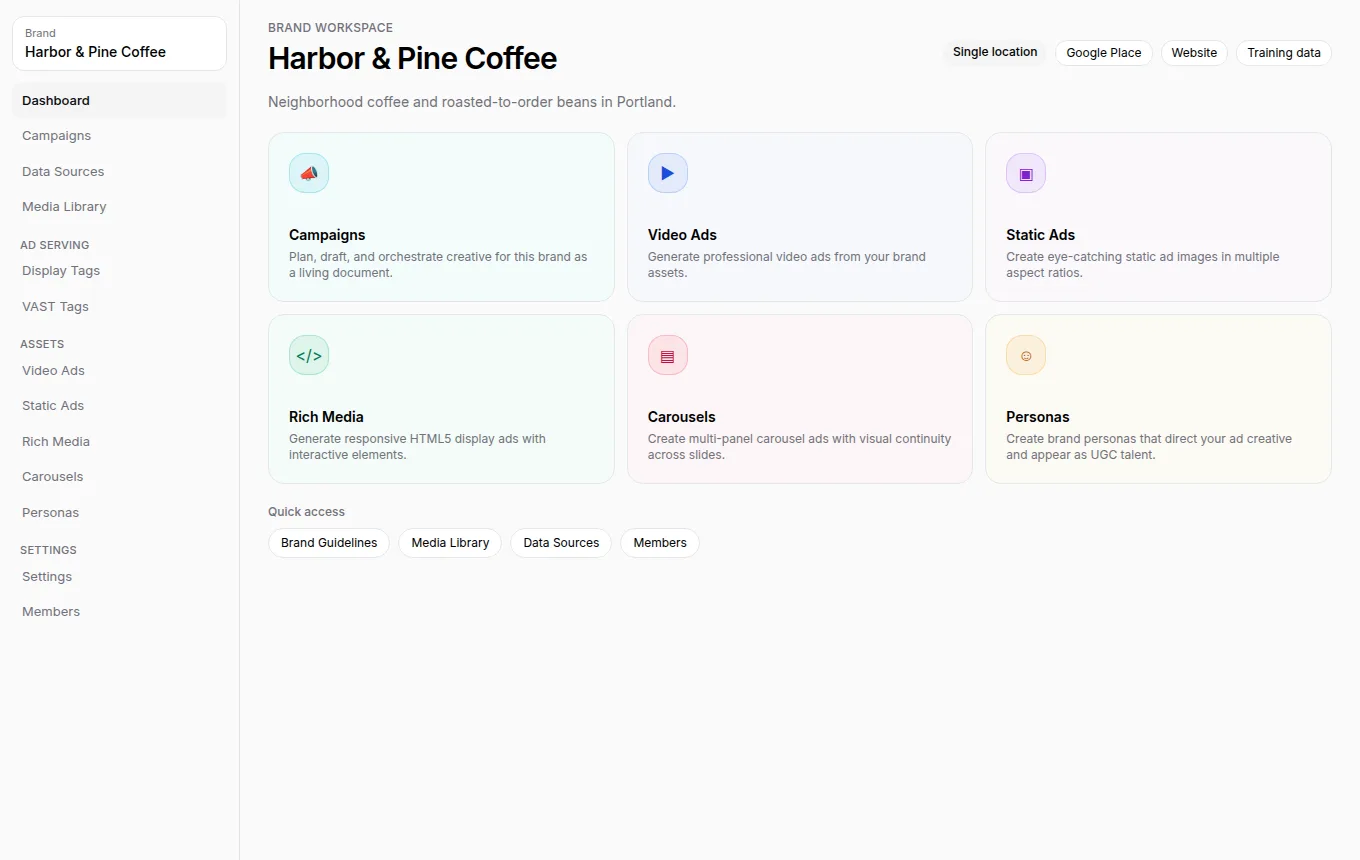
It also owns:
- Brand details, picture, and guidelines
- Campaigns and data sheets
- Brand Media Library
- Generated video, static, rich media, and carousel ads
- Personas
- Publishing connections (YouTube, Meta, Instagram, TikTok)
- Brand members (people from the team who can work in this brand)
Open a brand from Brands, or switch brands from the brand selector in the sidebar.
How to tell where you are
| Clue | Meaning |
|---|---|
| Sidebar shows Brands, Playground, and team Settings | You are in the team |
| Breadcrumbs end in Brands › the brand name, the sidebar selector is labelled Brand, and the page shows Brand settings | You are inside a brand |
| Brand selector shows the current brand name | Creations will attach to that brand |
Warning: Always confirm the current brand name before you generate, upload, or connect a publishing account. Connections belong to the current brand, not every brand on the team.
Typical paths
- Start work for a known brand: Team → Brands → open the brand → Describe the ad you want, or a card under Or start from a format.
- Explore a format first: Team → Playground. Playgrounds can attach the result to an existing brand or create a new one.
- Generate or refine one asset: Team → Tools. See Tools.
- Invite a colleague: Add them to the team first, then add them to the brand. See Manage brand members.